
Sagar Club Login: Sign In to the Official App and Fix the Usual Errors
Checked · by the Sagar Club app team
The Sagar Club login is the same wherever you open the app: a username, a password, and nothing else. No phone number, no OTP, no Google button, no code. This page is the official guide to that screen, written by the team that runs the game at app.sagar.app and the signed Android app on sagar.app.
It covers signing in from the installed app and from a browser, playing as a guest and saving that guest later, using one account on several devices, what keeps you signed in, the error messages people actually see, what to do without a password reset, and how to spot a copied login page. Free coins only, adults 18+.
Where the Sagar Club Login Lives
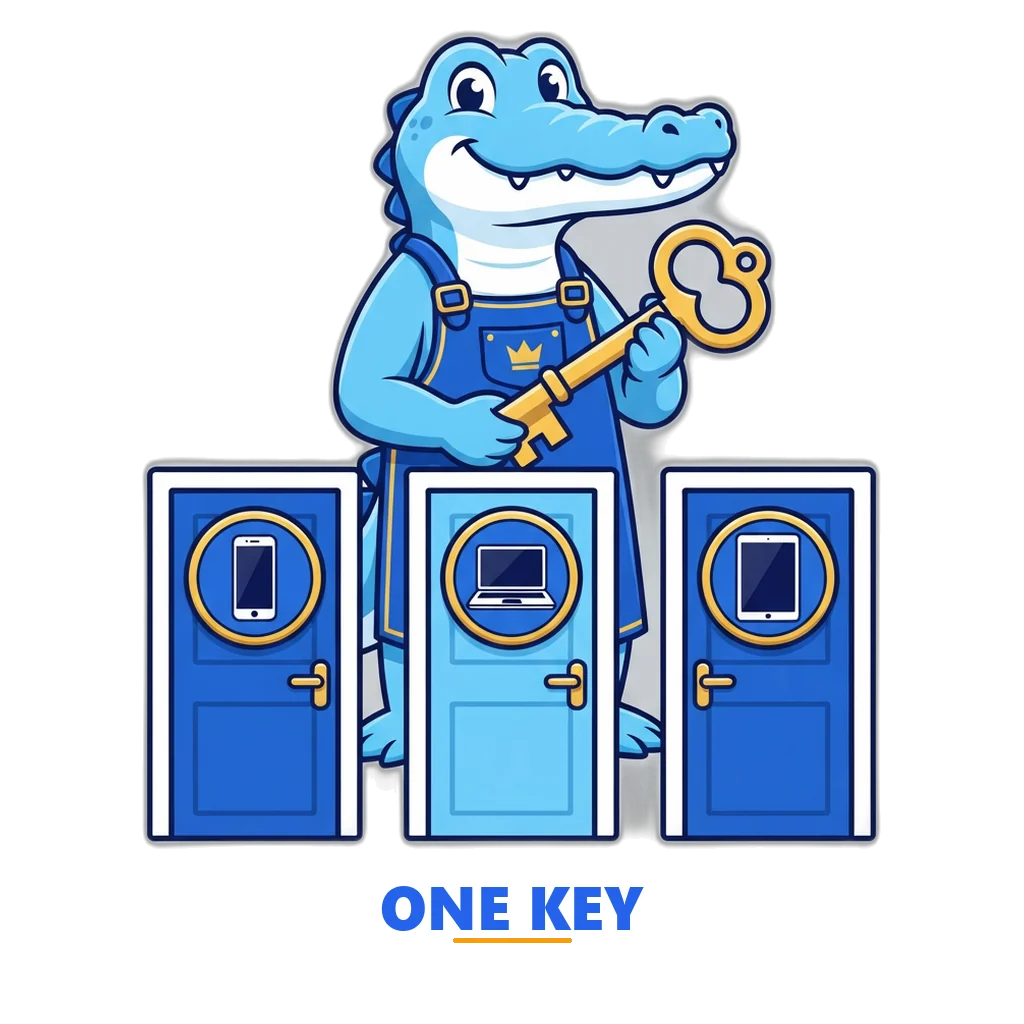
There is one account system and several doors into it. The installed Android app, a browser tab on any phone or computer, and the home-screen web app on an iPhone all show the same sign-in form and talk to the same server. Your username, coins, round history and weekly rank are stored there, so the door you choose changes nothing about the account.
The Android app is the signed Android file published on this site. It opens straight into the game with the sign-in form one tap away. In a browser, the same form sits at app.sagar.app under the Login button. iPhone users follow the Safari home-screen route for iPhone, which wraps the browser version in an icon. Whatever route you take, you are using the official app and not a copy; the front page of this site, the sagar.app front page, lists every official entry point in one place.
| Route | How you reach the form | What it remembers on that device | Best for |
|---|---|---|---|
| Android app (APK) | Open the app; tap Login on the welcome screen | Your session and language, until you log out or clear app data | Daily play on one phone |
| Browser on any phone | Go to app.sagar.app, tap Login | Session in that browser, until you log out or clear site data | Trying the game without installing anything |
| iPhone or iPad | Safari → app.sagar.app → Share → Add to Home Screen, then Login | A session separate from the Safari tab; sign in once inside the icon | iOS, where no store app exists yet |
| Laptop or desktop | app.sagar.app in Chrome, Edge or Firefox | Session in that browser profile | A bigger screen for the 3-minute and 5-minute rooms |
The browser version is also a progressive web app, a site that can be pinned like an app and opened full screen. Wikipedia's page on progressive web apps explains the idea. For sign-in purposes the only thing that matters is that a pinned icon has its own session, separate from the browser tab, so you may be asked to log in once more inside it.
Sagar Club Login Step by Step
The form has two fields and one button. Still, most failed attempts come from small slips on that screen, so here is the slow version. Open the app or the site, and if a game room appears first, tap the profile icon and then Login. The sign-in screen has two tabs: Login and Register. Make sure Login is the one highlighted.
- Type your username exactly as you created it. Upper and lower case matter, and there are no spaces.
- Type your password. Use the eye icon to show it once and check for a stray capital or a missed digit.
- Tap Login. On a normal connection the room list appears within a second or two.
- Check the coin balance in the top bar. If it is the balance you remember, you are in the right account.
If you have never registered, the Login tab cannot help; switch to Register, or tap "Play now — no signup" to start as a guest. The guide on how the sign-up form works box by box walks through each field and the 10,000 coins that arrive with a new account.
What a correct login never asks
The real form never asks for a mobile number, an OTP, an email, a referral or invite code, a UPI ID, a screenshot, a document, or a payment of any kind. Email is optional at registration and is never used to log in. If a box asks for any of these, you are not on the Sagar Club login, however familiar the logo looks.
Guest Play and "Save Your Account"
You do not need an account to play. "Play now — no signup" creates a guest account on that device with 10,000 coins and drops you into the rooms. The guest has a balance, a history and a place in the weekly ranks like anyone else. What it lacks is a way back in from anywhere else: it lives inside that one app or browser, with no username attached.
When you want to keep it, open the profile screen and tap "Save your account". You choose a username and a password, confirm you are 18 or older, and the guest becomes a normal account with its coins and history intact. From then on the Sagar Club login works on any device. Do this before you clear the app, switch phones or reinstall, because a guest that was never saved cannot be recovered by anyone.
| Question | Guest | Saved account |
|---|---|---|
| Where it exists | In the app data of one device | On the game server, under your username |
| Opens on a second device? | No | Yes, with the same username and password |
| Survives clearing app data or reinstalling? | No, it is gone | Yes, sign in again |
| Coins, history and weekly rank | Yes, on that device | Yes, everywhere |
| Daily bonus and refill | Yes | Yes |
| Can be deleted by you | By clearing the app | Profile → Delete account |
| Cost | Free | Free |
One Account on Many Devices
A saved account is not tied to a phone. Sign in on your own phone, a family tablet and a laptop browser, and all three show the same balance, because every pick is settled on the server and the balance is read from there each time a round ends. Put coins on a round from the tablet and the phone sees the result as soon as its screen refreshes.
There is no device limit and no "log out everywhere" switch at present. Signing out on one device leaves the others signed in; each session is its own. If you have used a device you do not own, such as a shop demo unit or a friend's phone, log out there before you leave, because the next person to open the app would otherwise land in your account.
The daily bonus is per account, not per device. Claim 1,000 coins on the phone and the laptop will show it already claimed. Claim again within 48 hours and the next bonus is 2,000 coins, on whichever device you open first. Nothing about free coins depends on a code, and the page on why no code field exists explains what the bonus system does instead.

What Keeps You Signed In, and What Ends It
After a successful Sagar Club login the app keeps a session on that device, so you do not have to type the password every time a round ends or the app is reopened. The session belongs to that app or that browser profile. The table below lists the everyday actions people take and what each one does to the session, so there are no surprises when a phone is cleaned up or replaced.
| Action | Effect on the session | Effect on coins and history |
|---|---|---|
| Closing the app or the tab | None; you are still signed in next time | None |
| Restarting the phone | None | None |
| Tapping Log out in the profile | Ends it on that device only | None |
| Clearing the app data or site data | Ends it; a guest account is deleted too | Saved account: none. Guest: lost |
| Uninstalling the app | Ends it; same as clearing data | Saved account: none. Guest: lost |
| Switching to a new phone | New device has no session; sign in there | None, once signed in |
| Signing in on a second device | First device stays signed in | Both devices share one balance |
| Profile → Delete account | Ends every session | Everything is removed |
A session can also end on its own after a long gap, in which case the app simply shows the login form again. That is normal and costs nothing; sign in and carry on. Picks you confirmed before a drop in connection are already on the server and settle with their round, whether or not you are watching.
Usernames Are Case-Sensitive, and Other Rules
The rules that shape a username at registration are the same rules the login checks against. A username is 3 to 20 characters, using letters, digits and the underscore only. It is case-sensitive, so Ravi_07, ravi_07 and RAVI_07 are three different accounts, and only one of them is yours. Phone keyboards love to capitalise the first letter of a field, which is the single most common cause of a failed sign-in.
Passwords are at least 6 characters and are also case-sensitive. There is no rule forcing symbols or numbers, but a longer password made of two or three unrelated words is both easier to type on a phone and harder to guess than a short one with a symbol. Do not reuse a password from your email or bank; this account is for a free game, and it should never share a secret with anything that matters.
Hindi players: the username field accepts Latin letters and digits only, so a name typed in Devanagari will be refused with a format message rather than a wrong-password one. Pick a Latin spelling you will remember and keep the capital letters consistent.
Error Messages and Fixes
The app says little when a sign-in fails, on purpose: a login form that explains which half was wrong helps someone guessing at your account. Here is what each message means in practice and the fix that usually works. Most Sagar Club login problems are solved by the first row.
| Message | What it usually means | Fix |
|---|---|---|
| "Invalid username or password" | A capital letter, a space or an old password; or you are typing a name that was never registered | Show the password with the eye icon, check the first letter of the username, and try once more slowly. Still stuck? See the no-reset section below. |
| "Username already taken" | You are on the Register tab, not Login | Switch to the Login tab and sign in with that same username. |
| "Username must be 3–20 characters" or a format message | A space, a dash, a dot or a non-Latin letter in the box | Remove it; only letters, digits and underscore are allowed. |
| "Password must be at least 6 characters" | You are on Register, or a field was left half-filled | Fill both fields fully, then tap the button once. |
| "Network error" or "Could not reach the server" | No data, a captive Wi-Fi portal, or a VPN blocking the connection | Open any website to confirm you are online, switch off the VPN, then retry. |
| Spinner that never ends | A very slow connection or a browser extension interfering | Wait ten seconds, pull to refresh, or try the app instead of the browser. |
| Login form returns after a successful sign-in | Site data was blocked, so the session could not be stored | Allow cookies and site data for app.sagar.app, or use the Android app. |
| "Too many attempts" | Several wrong passwords in a short time | Wait a few minutes, then try the exact spelling once. |
If the message you see is not here, or it mentions a deposit, a wallet or an agent, close that page: the official app has no such screens. The page on where real help comes from explains how to reach the team through this site and the in-app feedback link, and why there is no phone line.
No Password Reset: What to Do
The Sagar Club app has no "Forgot password" link and no reset by email or SMS. That is a choice, not a gap. A reset needs a verified phone number or email on file, and the app is built to keep almost nothing about you. The trade is simple: more privacy, less rescue. So the password you chose is the only key, and nobody on the team can see it or set a new one.
If you have forgotten it, try the usual suspects first: the same password with a capital first letter, with a trailing digit, or the one you use for other free games. Check whether your phone's password manager or browser saved it; Chrome and Samsung Pass often keep credentials for app.sagar.app without you noticing.
If none of that works, make a new account. It is free, takes under a minute, and comes with 10,000 fresh coins. The old account keeps its coins and history on the server, but nothing in it had cash value and the weekly ranks reset every Monday anyway, so there is little to mourn. Pick a new username, write the password in a password manager this time, and carry on. If you want the old username gone for tidiness, that account cannot be deleted without its password either, and it simply sits unused.
Look-Alike Login Pages
Because the name is short and popular, copy sites with a Sagar Club login box appear regularly. Some are harmless fan pages. Others collect usernames and passwords, then ask for a phone number, an invite code or a deposit, which is where the harm starts. The official app has no deposits, no wallet, no agent, no VIP tiers and no prizes, so any login page that leads to those things is not ours.
| Sign | Official app | Look-alike page |
|---|---|---|
| Address | app.sagar.app, or the app installed from sagar.app | A different domain, a Telegram link, or a one-hyphen or two-word variant of the name |
| Fields | Username and password only | Phone number, OTP, invite code, agent ID |
| After sign-in | Rooms and free coins | A deposit or recharge screen |
| Buttons | Login, Register, Play now | Recharge, Withdraw, Bonus, VIP |
| Help | Feedback link in the app; the contact page on this site | A WhatsApp or Telegram number |
| Cost | Nothing, ever | A deposit, a fee to withdraw, or a "release fee" |
If you typed your password into a page that fails this table, change that password anywhere else you used it, and do not send money, whatever the page promises. Money lost to such a page can be reported to the national cyber crime portal at cybercrime.gov.in or by calling 1930. The look-alike app red flags page lists the signs in more detail, and the short list of official addresses is all you need to bookmark. One spelling note: some people search for Sagarclub as a single word; that is still us, but only at the addresses on that list.
Time Limits Around the Login
A fast login is convenient, and convenience is how five minutes become fifty. The rounds are short, the coins are free and cannot be cashed, and yet the pull of "one more round" is real. Decide on a session length before you sign in, set a phone timer, and when it rings, tap Log out rather than just closing the app; the extra step of signing in again is a useful speed bump. Prefer the 3-minute and 5-minute rooms when you notice yourself chasing a streak, and read what happens inside a round to see why a streak carries no information about the next digit. Online money games have been prohibited across India since 1 May 2026 under the Promotion and Regulation of Online Gaming Act, 2025; the Sagar Club app never offered one.
If signing in has become something you do to escape a mood rather than to pass a few minutes, that is worth a free conversation. Tele MANAS at 14416 (telemanas.mohfw.gov.in) is the Government of India mental health helpline, round the clock and in many Indian languages. iCALL at 9152987821 (icallhelpline.org) offers free counselling by phone, email and chat. You can also remove the account from the profile screen or at the delete-account page, which takes a minute and cannot be undone.
For adults 18+ only. Game coins are free, can't be bought and can't be cashed, and nobody can know the next result in advance. Online money games have been prohibited across India since 1 May 2026 under the Promotion and Regulation of Online Gaming Act, 2025. See our tips for keeping play time in check for free support and ways to take a break.
Open the Sagar Club Login
Sign in with your username and password at app.sagar.app, or play as a guest first. The same account works in the Android app and in any browser. Free coins, adults 18+.
Sagar Club Login Questions
Can I log in to Sagar Club with my Google account or my phone number?
No. The only sign-in is a username and a password that you chose at registration. Google sign-in is switched off, and the app never asks for a phone number, an email or a one-time code. Any login box that wants a mobile number or an OTP under the Sagar Club name belongs to a different site.
I played as a guest, reinstalled the app, and my coins are gone. Can I get them back?
Only if you saved the guest account with a username and password before the reinstall. A guest account exists on that one device, inside the app data, so clearing or reinstalling the app removes it and nobody can restore it. Tap "Play now" again for a fresh guest account, and save it this time from the profile screen.
Does switching the app to Hindi change how the login works?
No. Hindi changes the labels and messages, not the account. Your username and password stay exactly the same, including upper and lower case, and the same account opens in English on another device. The language is remembered per device, so you can run Hindi on the phone and English in a laptop browser at the same time.
Why do I see "Username already taken" when I am only trying to log in?
That message comes from the registration form, not from the login form. The sign-in screen has two tabs, and if the register tab is open the app treats your username as a new one and finds it already exists. Switch to the login tab, enter the same username and your password, and it will open.
Can two people share one Sagar Club account on two phones?
Nothing stops it, but it is a bad idea. Both would put coins on rounds from the same balance, the history would mix, and the weekly rank would belong to neither of you. Accounts are free and take a minute to make, so give each person their own. Sharing a password also makes it impossible to tell who changed what.
Does logging out delete my coins or my round history?
No. Logging out only ends the session on that device. Coins, picks, round history and your place in the weekly ranks stay on the game server under your username, and they are all there when you sign in again, on any device. Only "Delete account" in the profile screen removes them, and that step asks you to confirm first.
Summary
The Sagar Club login asks for a username and a password and nothing more, at app.sagar.app and inside the Android app alike. Usernames are case-sensitive, there is no reset, and a guest account only becomes portable once you save it with a name and password. One saved account works on every device at the same time, with a single balance and a single history held on the server.
When a sign-in fails, check the first letter, show the password, and confirm you are on the Login tab rather than Register. When a login page asks for a phone number, a code or money, leave it. And when the timer rings, log out. The game at app.sagar.app will still be there tomorrow, with the daily bonus waiting.
Next Steps
- Sagar Club RegisterA free account in under a minute.
- Sagar Club APK DownloadThe official APK, its checks and the install steps.
- Sagar Club iOSiPhone and iPad: the web app route.
- Sagar Club Customer CareReal help channels and fake numbers to avoid.
- Is Sagar Club SafePermissions, data, signature and play limits.